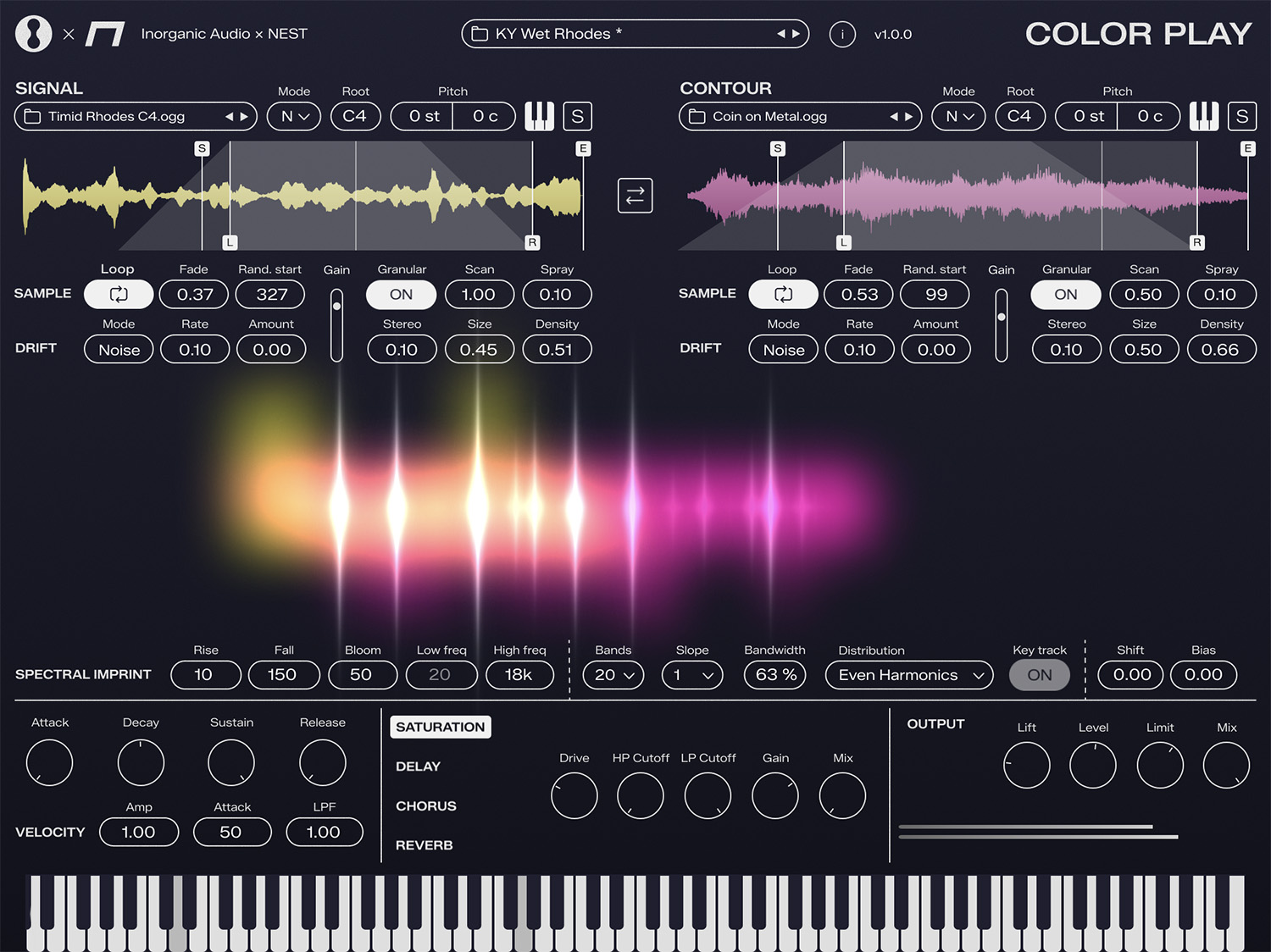
Color Play
Spectral Imprint Sampler
by Inorganic Audio and NEST Acoustics
Effortless beauty. Endless possibilities. A polyphonic instrument that transfers the spectral envelope of any sound onto another through MIDI-tuned filterbanks.
See Color Play in action
Sound Engine
Deep control over every aspect of sample playback and transformation.
External Playback Mode
Stream a live sidechain signal from your DAW through Source A, B or both — vocode anything in real time without loading a sample.
3 Band Distribution Modes
Logarithmic follows human hearing, Octave aligns to musical intervals, Harmonics emphasizes overtones.
Formant Shifting
Shift vocal character up or down by 36 semitones independently of pitch.
18 Drift Algorithms
Add analog-style pitch instability from subtle tape wobble to extreme detuning.
Continuous Playback
Samples continue through note releases for seamless, evolving textures.
Root Note Detection
Automatic pitch mapping from sample filenames (e.g., Piano_C4.wav).
Loop Points
Visual waveform editing with sample-accurate loop boundary control.
Specifications
Formats
- VST3
- Audio Unit (AU)
- AAX (Pro Tools)
System Requirements
- macOS 10.15+ (Apple Silicon & Intel)
- Windows 10+ (64-bit)
Sample Formats
- WAV, AIFF, OGG
- Drag-and-drop loading
- Auto root note detection
FAQ
What formats are supported?
Color Play is available as VST3, AU and AAX on both macOS and Windows. It works with all major DAWs including Logic Pro, Ableton Live, Pro Tools, Cubase, FL Studio, Reaper, and more.
What are the system requirements?
macOS 10.15+ (Apple Silicon and Intel) or Windows 10+ (64-bit).
How does licensing work?
One license covers a single user on up to 3 machines. No iLok or dongle required — just enter your license key to activate.
Do I need an internet connection?
Yes. Color Play requires an internet connection for activation and periodically verifies your license online.
What sample formats are supported?
Drag and drop WAV, AIFF, OGG, and other common audio formats directly onto the interface.
Can I use a live audio signal instead of a sample?
Yes. The new External playback mode (added in v1.1.0) streams a live sidechain audio signal from your DAW through Source A, B, or both, so you can vocode incoming audio without loading a sample.